In 2022 Autodesk renamed Forge to Autodesk Platform Services, usually shortened to APS. The rename itself changed very little in the code of most applications. What it did mark was a period of steady change in the platform: updated authentication, newer API versions, newer viewer releases, and revised documentation. Many teams still run viewers built in the Forge era that have not been touched in years. This article explains what actually matters when planning a Forge to APS viewer migration and how to approach it without breaking production.
What changed, and what did not
It helps to separate branding from engineering.
Mostly branding
- Product and documentation names moved from Forge to APS
- The developer portal and many documentation URLs moved
- Community resources and samples were reorganised under the APS name
Engineering changes worth checking
- Authentication: Autodesk has moved applications to newer OAuth endpoints and retired older ones. Scopes, token lifetimes, and flows should all be checked against current documentation.
- API versions: Several services, including Data Management and Model Derivative, have introduced newer endpoint versions and options over time.
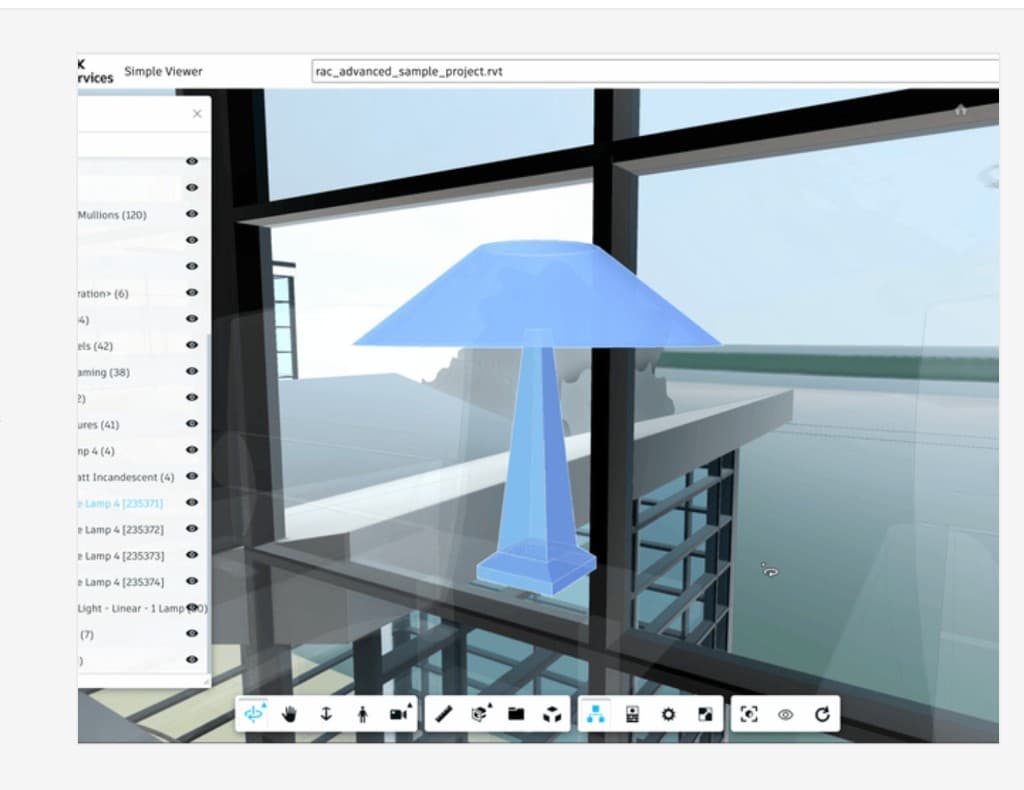
- Viewer releases: The JavaScript viewer continues to receive major and minor releases. Applications pinned to old versions miss fixes and may rely on behaviour that has since changed.
- Derivative formats: Newer derivative outputs such as SVF2 are available alongside the older SVF format, with different loading and storage characteristics.
Always confirm specifics against Autodesk's current APS documentation and changelogs rather than relying on older blog posts, including this one, for exact endpoints or dates.
Step 1: Audit what you actually have
Most migration pain comes from surprises. Before changing anything, build an inventory.
Viewer and extensions
- Which viewer version is loaded, and from where
- Which built-in extensions are used, such as measure, section, or model browser
- Which custom extensions exist, what they do, and which viewer APIs they call
- Any use of undocumented or internal viewer properties, which are the most likely to break
Authentication
- Which OAuth flows are used: two-legged for server-to-server, three-legged for user-context access
- Where tokens are generated and how they reach the browser
- Which scopes are requested, and whether they are broader than needed
- Whether any secrets are exposed to the client, which should be fixed regardless of migration
Model Derivative and storage
- How files are uploaded and where they are stored, whether in your own buckets or in Autodesk Docs and BIM 360 projects
- Which derivative formats are requested, and whether translations are triggered on demand or in batches
- How translation status is polled or received
- How long derivatives are retained, and who is responsible for cleaning them up
Other APS services
List every other service your application depends on, such as Data Management, Design Automation, or webhooks. Each has its own versioning and should be checked separately.
Step 2: Decide the scope of the migration
Not every migration needs to be a rebuild. Typical options are:
- Maintenance upgrade: update authentication, bump the viewer version, fix breaking changes. Suitable when the application still meets business needs.
- Modernisation: upgrade the platform pieces and refactor custom extensions onto current APIs, often moving to newer derivative formats at the same time.
- Rebuild: replace the viewer application when its architecture blocks new requirements, for example IoT overlays, digital twin workflows, or multi-model federation.
The audit should make the choice fairly obvious. If most custom extensions rely on internals that no longer exist, a rebuild may be cheaper than patching.
Step 3: Upgrade in a controlled order
We usually recommend this sequence:
- Authentication first. It is the most likely to stop an application working outright and is independent of viewer changes.
- Server-side API calls next. Update Data Management and Model Derivative calls to current endpoints and verify uploads, translations, and manifest handling.
- Viewer version last. Upgrade the viewer, then work through extension breakages one at a time.
Keep each step deployable on its own, so a problem in the viewer upgrade does not block an authentication fix that has to go live.
Step 4: Test against real models
Sample models from documentation are useful for smoke tests, but they rarely reproduce production problems. Build a small test set from your own projects:
- A large federated model to check load time and memory use
- A model with complex MEP systems to exercise selection and property queries
- Models that have caused support tickets in the past
- Files from each authoring tool and version your users actually upload
For each, check loading, navigation, selection, properties, custom extensions, and any data overlays. Compare behaviour between the old and new builds side by side.
Migration checklist
- Inventory of viewer version, built-in extensions, and custom extensions
- List of OAuth flows, scopes, and token handling paths
- Confirmed current endpoints for every APS service in use
- Decision on derivative format and a plan for existing translations
- Staged rollout plan: authentication, then server APIs, then viewer
- Regression test set built from real project models
- Monitoring for translation failures and viewer errors after release
- Documentation of what changed, for whoever maintains the viewer next
Common pitfalls
- Relying on viewer internals. Extensions that reach into private properties break silently across versions.
- Upgrading everything at once. When auth, APIs, and viewer all change together, isolating the cause of a failure is slow.
- Forgetting derivative lifecycle. Switching formats without a plan for existing models can leave users with a mix of old and new translations.
- Ignoring batch jobs. Scheduled translation or Design Automation jobs often run outside the main app and are missed in testing.
Real-world context
Our Spool case study covers a browser platform for uploading, translating, and previewing Revit models, which exercises exactly the upload, translation, and viewer paths a migration touches. The Con-form configurator shows a heavier integration where the viewer works alongside Design Automation to regenerate Inventor models, a setup where each APS service needs to be checked separately during an upgrade.
When we take on APS viewer development for an existing Forge-era application, the audit above is the first deliverable. It gives both sides a shared picture of the risk before any code changes, and it often shows that a smaller, staged upgrade is enough.
Key takeaways
- The Forge to APS rename in 2022 was mostly branding; the engineering work is in authentication, API versions, viewer releases, and derivative formats.
- Start with a full audit of viewer version, extensions, auth flows, and every APS service in use.
- Upgrade in order: authentication, then server-side APIs, then the viewer.
- Test with your own production models, not only documentation samples.
- Confirm exact endpoints and timelines against Autodesk's current APS documentation.
APS viewer development
Planning a Forge-to-APS upgrade or a new browser viewer? We scope, build, and hand off production APS viewers.
Explore APS viewer developmentTopics

Author
BimEx Engineering Team
BIM Services Engineering Team
The BimEx engineering team builds Autodesk Platform Services viewers, BIM digital twins, IoT on BIM, custom IFC viewers, and scan-to-BIM indoor models for AEC and facilities teams.