
Client Project/Product Configurator
Configure Modular Platforms in the Browser—Then Export Inventor Models, Drawings, and BIM Packages
A web-based Autodesk Inventor configurator for Con-form Group that turns product parameters into live 3D models, manufacturing drawings, and downloadable CAD/BIM packages.
Australia
APS Configurator, Autodesk Platform Services, Inventor Automation, APS Viewer
About the Project
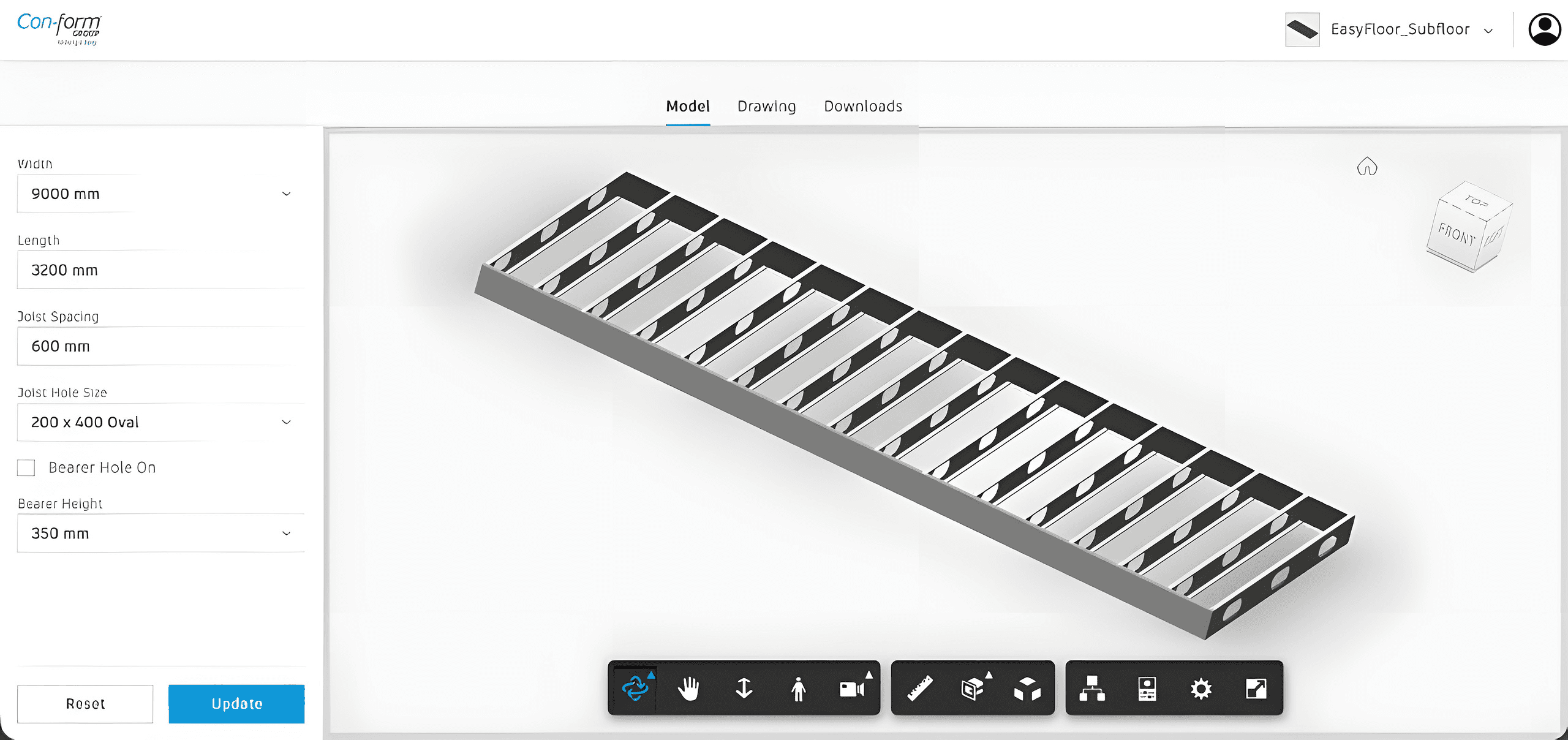
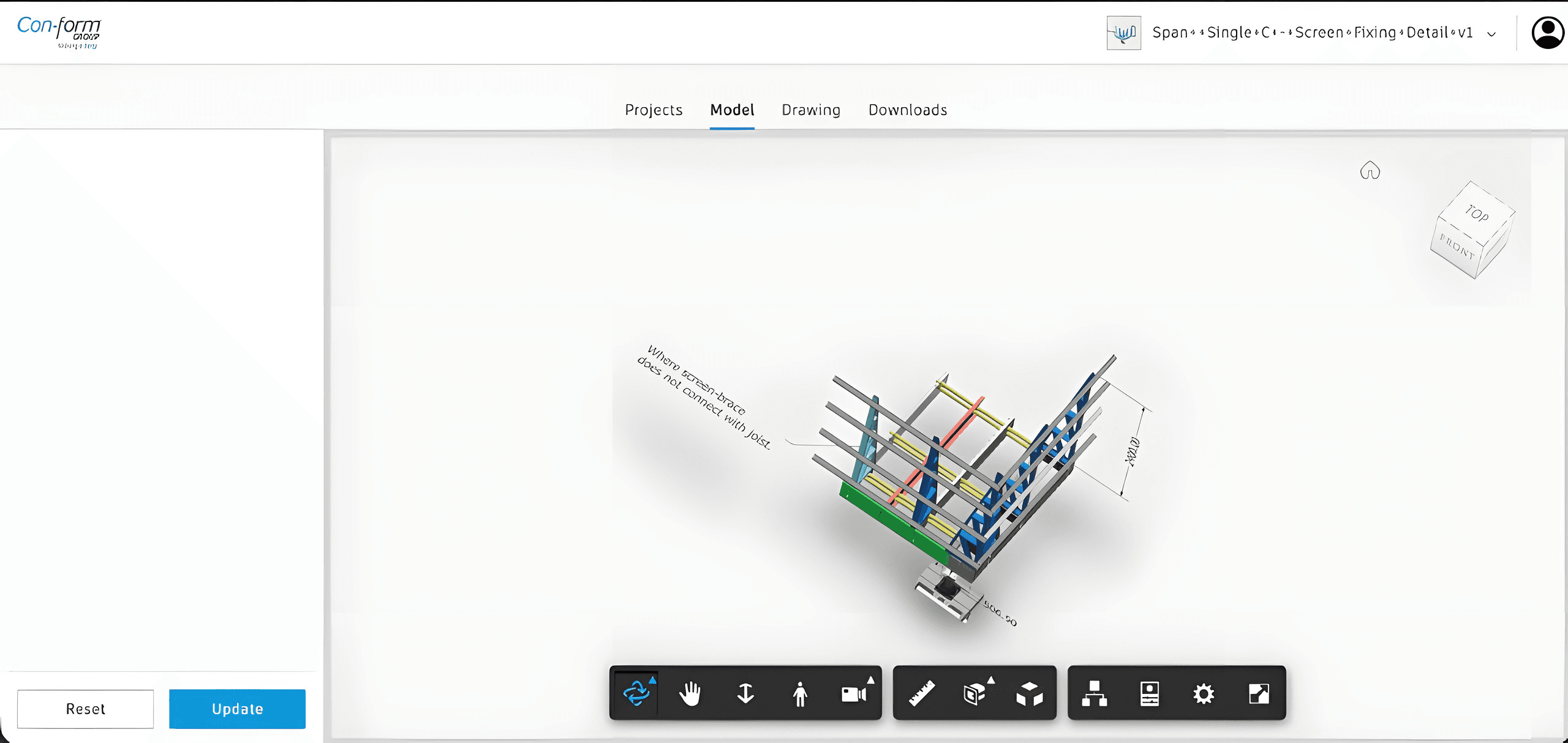
Con-form Group needed a browser-first way to configure modular products such as EasyFloor Subfloor, EasyMech CR, and Span++ screening systems. Sales and project teams had to change width, length, joist spacing, hole profiles, and bearer heights—then see a valid engineering model instantly.
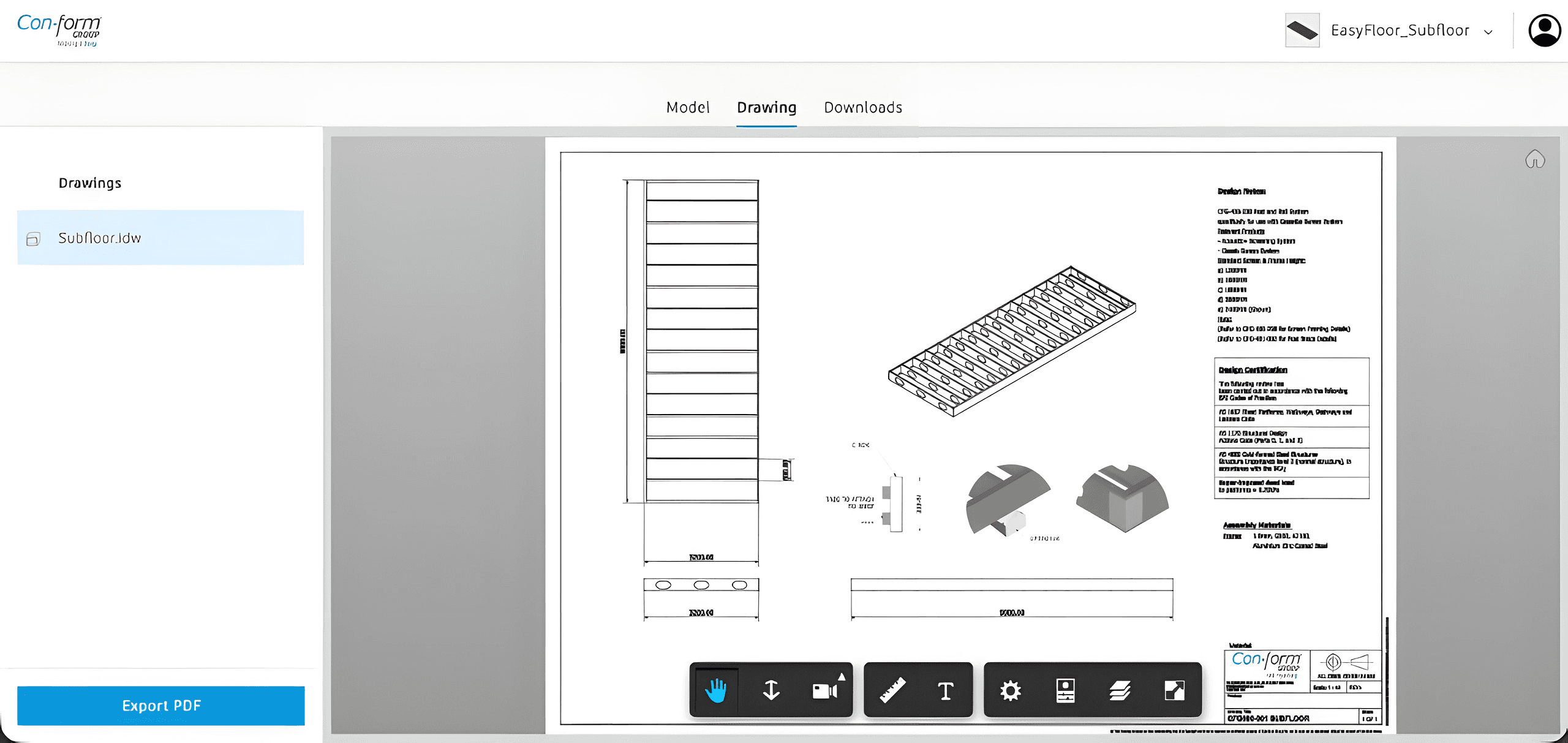
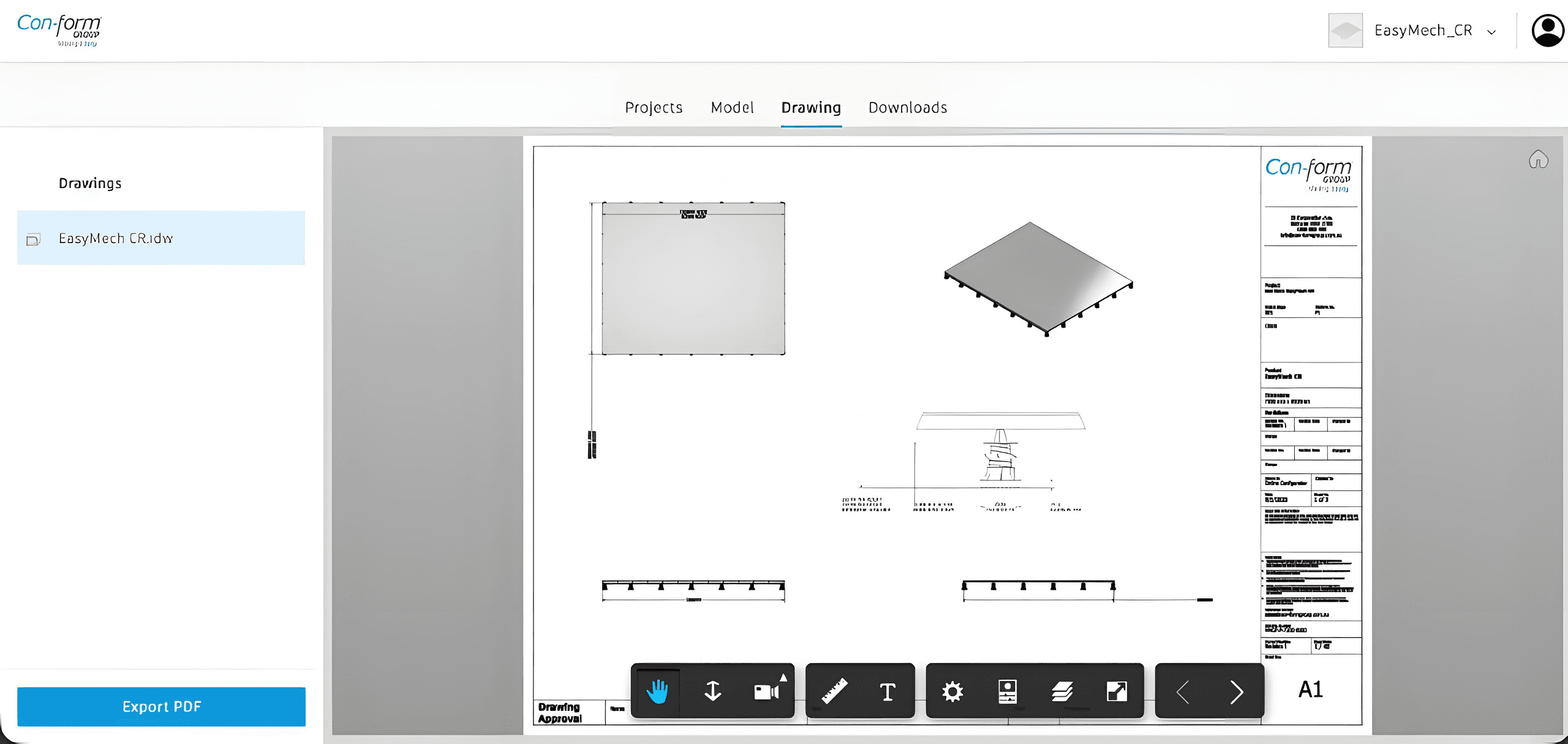
We built an APS Inventor configurator with Projects, Model, Drawing, and Downloads workflows. Parameter panels drive Design Automation; the APS Viewer shows the updated assembly with orbit, measure, section, and explode tools. Drawing sheets from Inventor (.idw) open in-browser with PDF export for AS 1657 / AS 1170 aligned documentation.
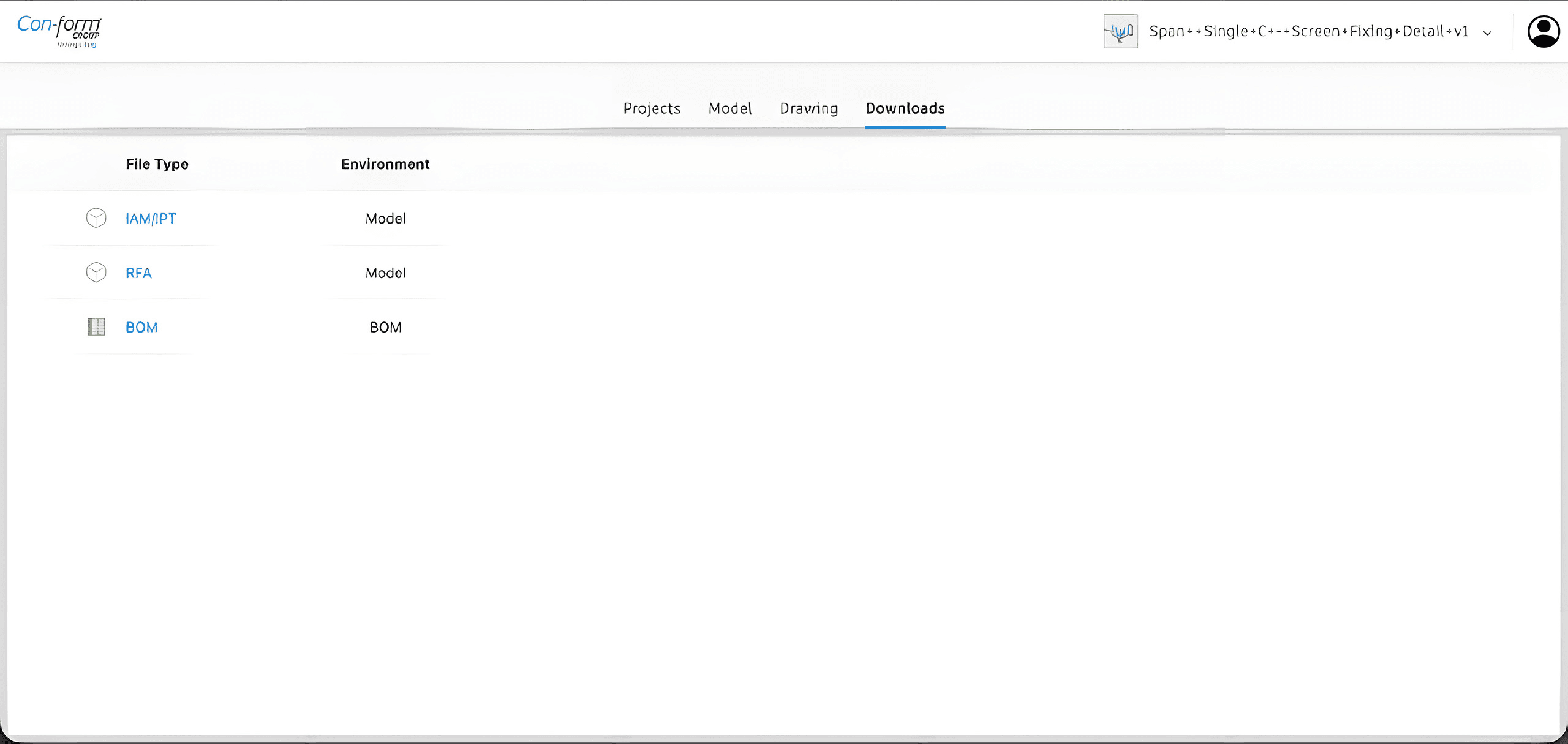
When a configuration is ready, users download manufacturing and BIM packages—IAM/IPT for Inventor, RFA for Revit, and BOM for procurement, so engineering, fabrication, and site teams share one configured product path instead of emailing desktop files.
Challenges We Faced
1. Keeping Inventor rules alive on the web
Product logic lived in Inventor. The configurator had to expose safe parameters (dimensions, hole sizes, bearer options) while Design Automation rebuilt valid assemblies—without letting invalid combinations reach manufacturing.
2. Bridging sales configuration and engineering documentation
Teams needed more than a pretty 3D preview. They required production drawings, compliance notes, and exportable CAD/BIM files from the same session so quotes and fabrication stayed aligned.
3. Supporting a growing product catalog
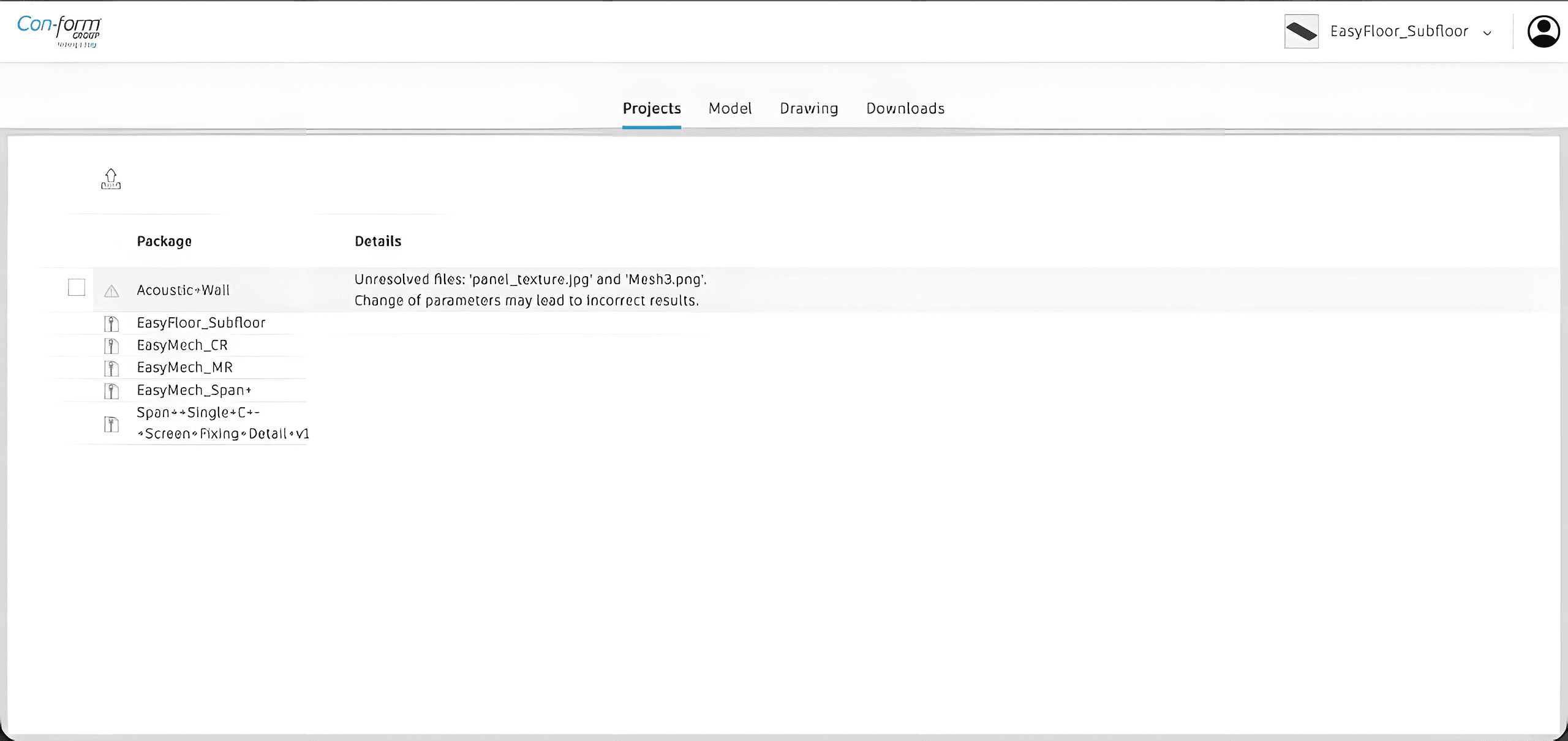
Packages spanned EasyFloor, EasyMech variants, acoustic walls, and Span++ fixing details. The portal needed a project list, package health warnings, and consistent Model / Drawing / Downloads tabs across product families.
How We Solved It
Designed a Con-form branded portal with Projects, Model, Drawing, and Downloads tabs for each configured package.
Connected Autodesk Platform Services Viewer and Design Automation so parameter updates regenerate Inventor models and refresh the 3D view.
Exposed product-specific inputs—width, length, joist spacing, oval hole profiles, bearer height—with Reset/Update controls tied to engineering constraints.
Embedded Inventor drawing review (.idw) with measure tools and Export PDF for fabrication and standards-ready documentation.
Shipped Downloads for IAM/IPT, Revit RFA, and BOM so configured products move straight into manufacturing and BIM workflows.
Project Screenshots
Results Delivered
Delivered a production Inventor configurator where Con-form teams configure modular platforms in the browser, review live APS models and drawings, and export CAD/BIM packages without bottlenecking on desktop seats for every option change.
Parameter-driven Inventor assemblies rebuild in the browser via Design Automation
Live APS Viewer review with orbit, measure, section, and explode
Drawing sheets and PDF exports aligned to AS 1657 / AS 1170 documentation
IAM/IPT, RFA, BOM, and CAD package downloads without desktop seats per option
Technologies We Used
Next.jsReactAutodesk Platform ServicesAutodesk InventorForge ViewerDesign Automation
Ready to Start?
Let's Build Something Great Together
Need an Inventor or APS product configurator? Explore how BimEx can turn engineering rules into browser-based configuration, drawings, and manufacturable downloads.