
The Single-Platform Blueprint: How to Consolidate Courses, Community, and Live Workshops Under One Roof

Running a digital knowledge business across separate course hosting portals, messaging channels, and calendar links drains creator momentum and frustrates paying learners. When educational videos sit in one portal, community conversations hide inside a chat app, and live coaching sessions require external invite links, student engagement drops precipitously. The solution is architectural consolidation: housing asynchronous learning, social peer discussion, and synchronous workshops within a unified creator ecosystem.
Unifying your stack eliminates login friction, bridges siloed learner telemetry, and creates organic flywheel dynamics where content fuels conversation and live interactions generate evergreen learning assets. Consolidating your digital ecosystem transforms disjointed courses into a thriving, high-retention academy. Here is the operational blueprint for migrating away from a fragmented software setup and building an integrated knowledge hub under one roof.
1. The Hidden Cost of the "Franken-Stack": Why Fragmented Creator Tools Kill Momentum
Maintaining a fragmented "Franken-stack" cripples knowledge businesses by introducing user-facing friction that drives churn, scattering analytics across disconnected databases, and inflating overhead through compounding software subscriptions. Unifying your tools under a single architecture eliminates these structural leaks, preserving learner momentum and safeguarding profit margins.

The Friction Tax: Login Fatigue, Context Switching, and Ghost Town Communities
When learners purchase a curriculum, their excitement peaks immediately after checkout. In a traditional multi-platform setup, however, that initial enthusiasm hits a wall of friction:
- An email receipt with a learning management system (LMS) login;
- A separate automated invite link to join a Discord server or Slack workspace;
- A series of calendar links pointing to third-party video conferencing rooms;
- Recurring password resets across distinct web domains and mobile applications.
This disjointed experience imposes a steep "friction tax." Modern users suffer from cognitive fatigue when navigating disconnected software environments. Research documented in the Asana Anatomy of Work Global Index revealed that knowledge workers switch between an average of 13 applications up to 30 times each day, resulting in 26% of employees feeling less efficient and over a quarter of critical updates slipping through the cracks. For an online learner whose participation is voluntary, forcing that same app-switching behavior guarantees disengagement. When a student finishes a course lesson in an isolated LMS, they rarely switch over to an external chat platform to participate in discussion threads. As a result, community channels turn into ghost towns while completion rates plummet.
The Disconnected Data Trap: Flying Blind Across Siloed Analytics and Churned Learners
Operating separate platforms blinds creators to behavioral health indicators. In an unbundled environment, your LMS records video completion benchmarks, your community software monitors daily active posts, and your billing engine tracks monthly subscriber renewals—yet none of these systems speak to one another natively.
When data lives in isolated silos, early churn signals go undetected:
- Silent Drop-offs: A student stops watching video modules midway through week two, but because their community chat profile remains nominally open, automated win-back workflows never trigger.
- Engagement Mismatches: High-value community members who ask incisive questions never receive targeted recommendations for advanced workshops because your sales CRM cannot correlate user activity across accounts.
- Broken Attribution: You cannot definitively track whether members who regularly attend live workshops exhibit higher lifetime value (LTV) than self-paced learners.
Without unified telemetry, operators fly blind, discovering cancellations only after payments bounce rather than proactively intervening when user interaction begins to wane.
The Real Cost of SaaS Bloat: Auditing Subscription Costs and Administrative Overhead
Beyond learner attrition, running a multi-app stack extracts a massive financial and operational toll:
| Tool Layer | Typical Tooling Example | Monthly Cost (Est.) | Hidden Overhead & Liabilities |
|---|---|---|---|
| Course Hosting & Video | Dedicated LMS + Video CDN | $149 – $399/mo | Bandwidth overages, video export bottlenecks |
| Community Platform | Separate Forum or Chat Tier | $79 – $299/mo | Duplicate moderation queues, sync errors |
| Live Conferencing | Webinar Pro Licenses | $50 – $240/mo | Recording export/import cycles, broken attendee links |
| Automation Glue | Webhook Routing / Middleware | $49 – $199/mo | Broken webhook recipes, rate limits, sync debugging |
| SSO / Identity Layer | Third-party Auth Add-on | $50 – $150/mo | Broken token handshakes, failed password resets |
Consolidating these disparate tiers onto a modern unified platform eliminates both the baseline software fees and the hidden engineering hours spent repairing broken webhook payloads, auditing Zapier task errors, and managing cross-platform user permissions.
2. The Unified Triad Framework: Interlocking Courses, Community Spaces, and Live Workshops
The Unified Triad Framework structures courses, community spaces, and live workshops as interdependent layers where asynchronous curriculum sparks peer interaction, synchronous calls transform into permanent community assets, and community dialogue informs ongoing curriculum design. This connected loop creates an autonomous flywheel of continuous engagement, peer-driven accountability, and long-term retention.

Asynchronous to Social: Driving Real-Time Discussion Directly from Course Modules
Passive video consumption is notoriously isolating. Longitudinal educational research published in Science by Justin Reich and José A. Ruipérez-Valiente on open online learning completion rates revealed that open asynchronous courses suffer from persistent single-digit completion rates, documenting an overall completion rate of just 3.13% across six years of course offerings.
A unified platform bridges this gap by embedding community discourse directly beneath lecture players:
- Contextual Discussion Threads: Instead of generic comment sections, lessons feature direct links to dedicated community discussion channels where students discuss assignments in real time.
- Peer Feedback Loops: Students post their work directly inside the platform's social feed, tagging classmates for review without ever leaving the curriculum environment.
- Instructor Micro-Interactions: Creators and teaching assistants can respond to student inquiries within the same feed, elevating single questions into shared learning moments for the entire cohort.
Synchronous to Evergreen: Turning Live Cohort Calls into Reusable Community Assets
In an unbundled architecture, hosting a live call is a fragmented logistical chore: you schedule a session in an external video client, send reminder links via email, record the video locally, wait for it to render, upload the MP4 to a video hosting platform, and manually paste the embed code into an LMS lesson.
In an integrated platform, live workshops feed directly into your community archives:
- Unified Scheduling: Members RSVP, sync reminders to their local calendars, and access the live room from a single native dashboard.
- Instant Cloud Repurposing: When the session concludes, the recorded video automatically populates a searchable "Replay Vault" space accessible to enrolled tiers.
- Persistent Chat Histories: Questions and resource links shared in the live chat automatically bridge into an asynchronous follow-up discussion post, ensuring valuable workshop insights remain permanently discoverable for future cohorts.
The Self-Sustaining Feedback Loop: Using Community Insights to Inform New Curriculum
Building an educational platform without integrated community spaces forces creators to guess what to teach next. Within a unified environment, customer research occurs continuously and organically:
- Pattern Recognition in Search: Platform-level search analytics reveal the exact keywords, pain points, and technical hurdles members discuss daily.
- Upvoted Knowledge Gaps: Community members initiate discussions detailing operational challenges. The threads generating the highest reaction volume serve as validated outlines for your next masterclass or curriculum sprint.
- Rapid Prototyping: Creators can announce a live workshop to address a trending topic, host the live session within forty-eight hours, and seamlessly turn the resulting recording into a premium add-on module.
3. Choosing the Right All-in-One Creator Platform: Key Architectural Criteria
Selecting the ideal all-in-one platform requires evaluating three technical pillars: a unified identity layer with native mobile access, fine-grained access control for flexible monetization, and complete data sovereignty through robust APIs and event-driven webhooks. Prioritizing these foundational criteria guarantees your business model scales gracefully without technical debt or platform lock-in.
Frictionless Member Access: Single Sign-On (SSO), Native Mobile, and Unified Feeds
The technical cornerstone of a consolidated platform is unified identity management. When members authenticate once, they should gain unrestricted entry across video lectures, discussion spaces, and live calendar events across desktop and native mobile environments:
- Modern Identity Protocols: Look for platforms that support standardized protocols such as the IETF RFC 6749 OAuth 2.0 Authorization Framework and OpenID Connect (OIDC). This standard allows creators to federate user identity across custom client portals, existing authentication providers, and third-party apps without exposing user credentials.
- Responsive Mobile Presence: Learning happens on mobile devices during commutes and downtime. An effective platform must provide dedicated iOS and Android apps with rich push notifications for live workshop alerts and direct messages.
- Unified Activity Feeds: A centralized activity center aggregates updates across course comments, general community spaces, and upcoming workshop announcements, preventing information silos.
Granular Access Control: Managing Tiered Spaces, Upsells, and Workshop Passes
Monetization models in digital learning require flexible permissions. Your all-in-one platform must support granular space-level and post-level permission architectures:
- Tiered Member Visibility: Free members, core course students, and high-ticket mastermind participants should reside in the same overarching ecosystem, but private spaces must remain invisible or locked to unauthorized tiers.
- Dynamic Paywalls: In-app teaser views should allow non-paying members to see locked spaces with one-click upsell checkout modals, driving upgrades naturally as members observe higher-tier discussions.
- One-Off Workshop Passes: The access engine must permit selling standalone tickets to live workshops while granting temporary access to event replays and discussion boards without requiring a full monthly community subscription.
Data Ownership and Integrations: Webhooks, API Access, and CRM Interoperability
Never build your business on a closed, black-box system. To maintain flexibility, your platform must support modern interoperability standards:
- Event-Driven Webhook Infrastructure: Rather than relying on inefficient polling mechanisms, your software should dispatch real-time event notifications. Technical documentation on Stripe Webhooks illustrates how event-driven payloads deliver immediate transaction updates—such as subscription upgrades, successful invoice payments, or charge failures—allowing your tech stack to update user records instantly.
- Reliable Automation Pipelines: Event payloads must integrate smoothly with automation engines; understanding the mechanisms outlined in the Zapier guide to webhooks ensures you can route member actions, custom metadata, and community engagement scores into your external CRM or email marketing system.
- Synchronous Webhook Handling: For live events, platforms utilizing real-time event mechanisms similar to Zoom Webhooks enable automated attendance tracking and instant community badge awarding as soon as a participant leaves a live session.
- Full Data Exportability: Ensure you can export user databases (CSV), member engagement histories, course progression logs, and raw video files whenever required.
4. The 4-Stage Course Platform Migration Blueprint: Moving Without Member Churn
Migrating an active membership without churn requires a disciplined four-stage operational sequence: auditing and exporting all digital assets, configuring tiered spaces, executing a multi-touch change-management communication cadence, and validating the user experience through a VIP beta rollout before sunsetting legacy software. Following this phased schedule protects ongoing revenue and preserves member trust throughout the transition.
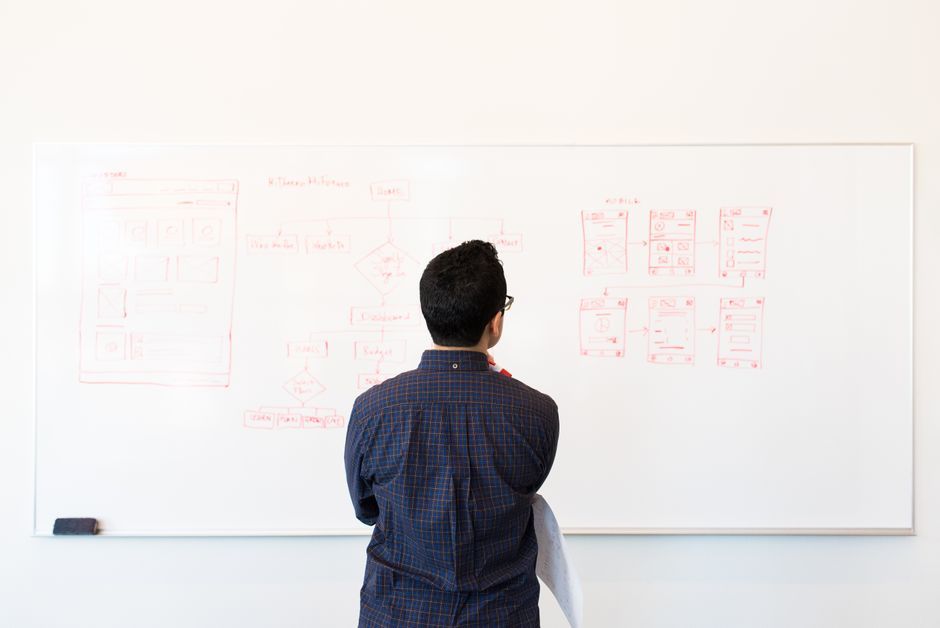
Phase 1 & 2: Digital Asset Audit, Video Hosting Export, and Space Architecture Setup
Begin technical preparation at least four weeks before announcing the move to your general audience:
[Legacy Stack]
├── LMS (Course MP4s, PDFs, Quizzes)
├── Discord/Slack (Chat Threads, Pinned Files)
└── Zoom/Vimeo (Cloud Recordings, Workshop Archives)
             │
             ▼
[Phase 1 & 2: Audit & Extraction]
├── Download Raw Master Files & Metadata
├── Clean Inactive Members & Reconcile Stripe IDs
└── Build Unified Space Hierarchy in New Platform
             │
             ▼
[Phase 3 & 4: Cutover & Onboarding]
├── Multi-Touch Email & In-App Announcements
├── VIP Super-Users Seed Community Discussions
└── Live "Housewarming" Workshop & Legacy Sunsetting
- The Digital Asset Audit: Catalogue every lesson, worksheet, slide deck, and workshop replay. Delete outdated material rather than migrating legacy clutter.
- Video Asset Extraction: If your existing videos reside inside proprietary players, download your original source files. As outlined in the Vimeo video download documentation, account administrators can download source-quality videos directly from their library settings, ensuring high-fidelity master files are backed up locally before uploading them to your new hosting environment.
- Space Architecture Setup: Replicate your learning curriculum and construct dedicated spaces in your new destination. Group channels logically:
- Start Here: Rules, onboarding videos, and introduction channels;
- Core Academy: Structured course modules and assignment threads;
- Live Events: Upcoming workshop schedules, streaming rooms, and replays;
- Mastermind Lounge: Tier-restricted peer networking.
Phase 3: Change Management and Multi-Touch Member Communication Cadence
The primary cause of migration churn is unexpected change. Members who receive a single, abrupt login notification often disengage or cancel their subscriptions. Mitigate this risk through transparent, value-focused communication:
- T-Minus 14 Days (The Vision Announcement): Send an email and community announcement explaining why the migration is happening. Frame the move entirely around learner benefits: faster video streaming, an integrated mobile app, unified notifications, and exclusive upcoming live workshops.
- T-Minus 7 Days (The Logistical Roadmap): Provide explicit instructions. Clarify what will happen to active logins, reassure members that their course progress and payment terms remain locked in, and preview screenshots of the new interface.
- T-Minus 48 Hours (Account Activation Invitations): Dispatch personalized magic login links. Include a 90-second Loom tour guiding members directly to the "Introductions" space.
- Day 0 (Launch Day): Send SMS/email alerts celebrating the grand opening. Lock posting capabilities in the legacy community spaces and set auto-responder redirects pointing directly to the new URL.
Phase 4: The VIP Beta Rollout, Live Onboarding Call, and Sunsetting the Legacy Stack
Never migrate your entire user base at once. Use a phased rollout to identify friction points early:
- The VIP Beta Squad: Invite a select group of your most active super-users into the platform 7 to 10 days before the general launch. Ask them to test course navigation, populate empty discussion spaces with thoughtful prompts, and report any broken permission gates. When the broader membership arrives, they will encounter an active, vibrant hub rather than an empty forum.
- The Live "Housewarming" Workshop: Host a live platform tour and kickoff workshop on Day 1. Walk learners through desktop and mobile navigation, explain how to bookmark upcoming events, and answer questions live.
- The Clean Sunset: Keep legacy community channels in read-only archive mode for exactly two weeks to prevent lost threads, then formally close subscriptions and delete the accounts to stop recurring vendor charges.
5. Retention and ROI Impact: The Quantitative Gains of Platform Consolidation
Consolidating your creator stack generates measurable financial returns by improving course completion rates through peer accountability, elevating customer lifetime value via frictionless contextual upsells, and reclaiming hundreds of administrative hours each year. These compounding operational dividends transform your platform from an overhead cost center into an efficient growth engine.

Elevating Completion Rates: Linking Curriculum Accountability Directly to Peer Cohorts
Online courses rarely fail because of poor information; they fail from a lack of execution accountability. When learning modules sit adjacent to active peer communities, completion metrics surge:
- Public Commitments: Prompting learners to post module commitments directly into community accountability channels dramatically increases their follow-through.
- Shared Milestones: Cohort members celebrate assignment completions with in-app badges, creating positive social incentives that encourage lagging students to catch up.
- Peer-Assisted Debugging: When students encounter challenging concepts, community members often provide answers before the instructor even logs in, unblocking learners before frustration leads to attrition.
Expanding Lifetime Value (LTV): Natural Frictionless Upselling Between Products
In an unbundled architecture, cross-selling other offerings requires aggressive cold email sequences and dedicated sales landing pages with separate checkout funnels. Within a unified platform, expansion revenue occurs organically through ambient discovery:
- Ambient Awareness: Free or lower-tier members continually observe higher-tier discussions, live workshop announcements, and executive mastermind takeaways appearing within their global feed.
- Contextual Upgrades: When an entry-level student encounters an advanced workshop replay in their archive, they encounter a one-click upgrade button rather than a complex checkout redirect.
- Compounding Retention Economics: Retaining existing customers is dramatically more profitable than constantly acquiring new ones. In an authoritative analysis on customer retention economics published in the Harvard Business Review, Amy Gallo highlights research from Bain & Company demonstrating that acquiring a new customer is 5 to 25 times more expensive than retaining an existing one, and that boosting customer retention rates by just 5% can increase overall profits by 25% to 95%. When courses and communities exist under one roof, learners develop personal bonds and professional habits that make canceling unthinkable.
The Operational Dividend: Hours Reclaimed and Overhead Eliminated
The quantifiable ROI of consolidation goes beyond software license savings—it permanently alters your team's operational velocity:
- Reclaimed Administrative Time: Eliminating manual roster synchronizations, duplicate permission tagging, and broken webhook troubleshooting returns dozens of operational hours each month to your team.
- Reduced Support Tickets: Common issues like missing workshop links and failed LMS credentials account for a major share of creator support inquiries. A single login and native event calendar virtually eliminate these ticket categories.
- Strategic Focus: Reclaimed bandwidth allows you to focus on high-leverage activities: designing transformative curricula, delivering high-touch coaching calls, and forging strategic partnerships that expand your audience.
Conclusion: Building Your Durable Digital Academy
The era of duct-taping disparate SaaS subscriptions together to run an education business is officially over. The "Franken-stack" introduces needless operational fragility, creates friction for paying learners, and fragments the data you need to scale your business sustainably.
By implementing the Unified Triad Framework—anchoring asynchronous courses, vibrant community spaces, and live interactive workshops within a single, elegant platform—you build an interconnected knowledge ecosystem. Your curriculum drives authentic community discussions, your live sessions generate evergreen learning assets, and your members experience a unified, premium journey that commands premium pricing and maximizes lifetime value.
Audit your current tools today. Identify your software friction points, map out your unified space architecture, and execute a deliberate migration blueprint. Your learners—and your bottom line—will thank you.
Author
BimEx Team
BIM Services Engineering Team
The BimEx engineering team builds Autodesk Platform Services viewers, BIM digital twins, IoT on BIM, custom IFC viewers, and scan-to-BIM indoor models for AEC and facilities teams.